No more notes to load
Your Smart Trading Notebook: Context, Searchable & Organized
Don't let your insights get lost in a spreadsheet. TradeBB consolidates every thought—from daily plans to execution reviews—into one searchable psychology journal.
While the Dashboard tracks your P&L, the Trading Notebook tracks your mind. It automatically aggregates entries from your Daily Journal and Master Trade Log, giving you a centralized feed of your strategy and psychological state.
đź’ˇ Two Streams, One River: You don't need to write in two places. Notes created in the Daily View or Trade Detail View automatically appear here, organized chronologically.
Structured Journaling (Built-in Templates)
Consistency requires structure. Unlike blank Notepads or Excel cells, TradeBB provides dedicated, pre-built schemas for different journaling contexts.
1. The Daily Plan (Macro View)
Used for pre-market preparation and end-of-day summaries.
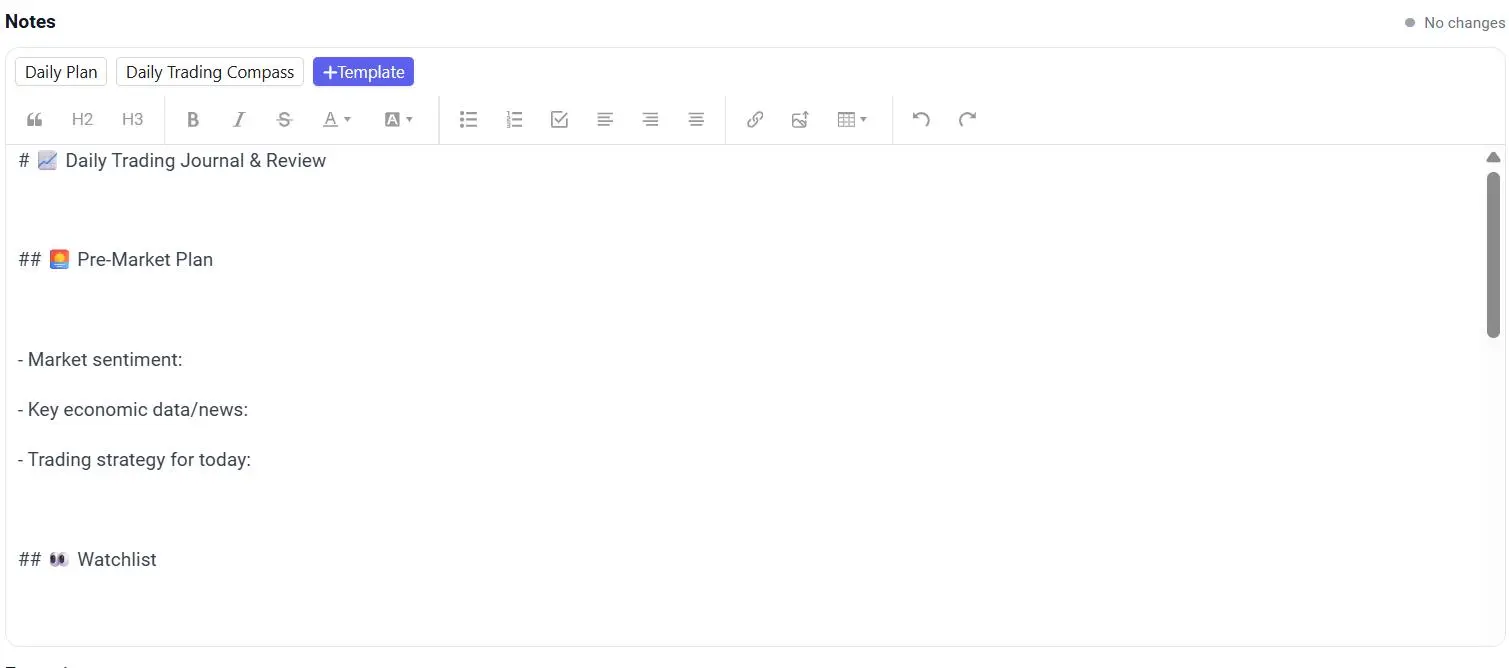
- Codify Your Routine: Use the Daily Template to force a professional routine. Fill out your "Morning Plan," "Key Levels," and "Psychological State" before the bell rings.
- Track Inaction: As shown in the screenshot, you can log reasons for "No Position" days (e.g., "Holiday" or "No Setup"). This turns your patience into a visible data point.
2. The Execution Review (Micro View)
Used for analyzing specific decisions on individual tickers.
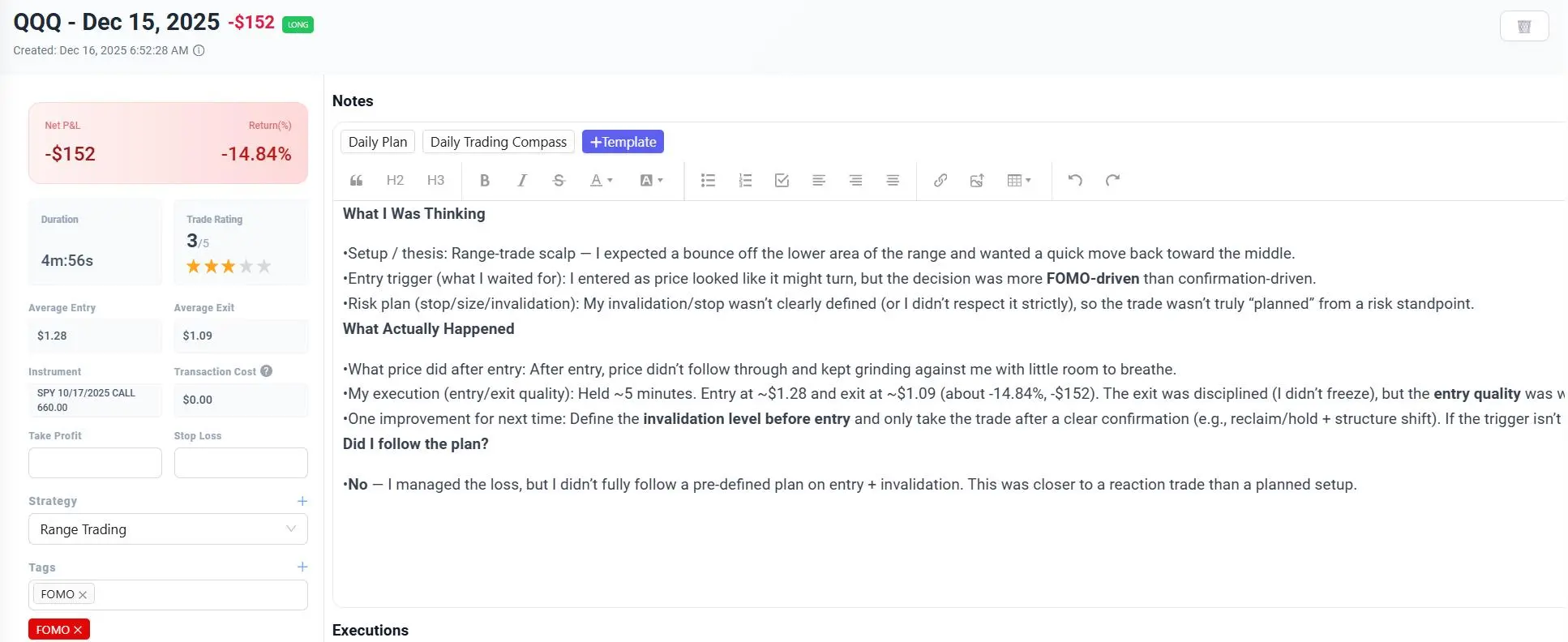
- Execution Context: Why did you enter this specific QQQ trade? Was it a "Gap Fill" or a "Trend Continuation"?
- Link Strategy to Sentiment: This note type links your narrative directly to the trade result. See exactly what you were thinking during your biggest winners—and your worst losers.
A Searchable Database of Your Edge
Physical notebooks are great until you need to find that one trade from six months ago. TradeBB digitizes your memory.
- Unified Search: Type "FOMC" to instantly see every Daily Plan and every Trade Note where you mentioned the Fed meeting. Find patterns in how news events affect your behavior.
- Tag Filtering: Filter your notebook by tags like "FOMO", "Revenge", or "A+ Setup". Read through all your "Revenge" notes in one go to painfully (but profitably) realize the cost of poor discipline.
- Rich Text Editor: Both note types support Markdown, allowing you to format lists, add bold emphasis, and structure your thoughts clearly.
FAQ
If I delete a note here, does it delete from the Trade Log?
Yes. The Notebook is a synchronized view. A note attached to a SPY trade in the Trade Log is the same note visible here. Editing or deleting it updates it everywhere.
Can I create my own custom templates?
Currently, we provide optimized built-in schemas for "Daily Review" and "Trade Analysis" to standardize your data for analytics. We are working on custom template support for future updates.
How is this different from using Notion?
Notion is a general-purpose tool; TradeBB is a Trading Psychology Journal. In Notion, your notes are disconnected from your data. Here, every note is intrinsically linked to your P&L, Entry Price, and Trade Duration, giving you context that text alone cannot provide.