No trades data
- 1-2 of 2
- 1
Your Daily Trading Journal: Build the Habit of Consistency
Win the day, not just the trade. Automate your daily P&L summaries and track your discipline—even on days you don't trade.
While the trades log analyzes execution, the Daily Trading Journal analyzes you. It automatically aggregates your imported activity into a clear Daily Scorecard, allowing you to review your P&L, volume, and psychological state one session at a time.
💡 Automated Total: No manual totals needed. Once trades are brought in via Integrations (broker sync) or Import Trades (file upload), TradeBB instantly groups them into daily summaries.
The Daily Scorecard (Auto-Summary)
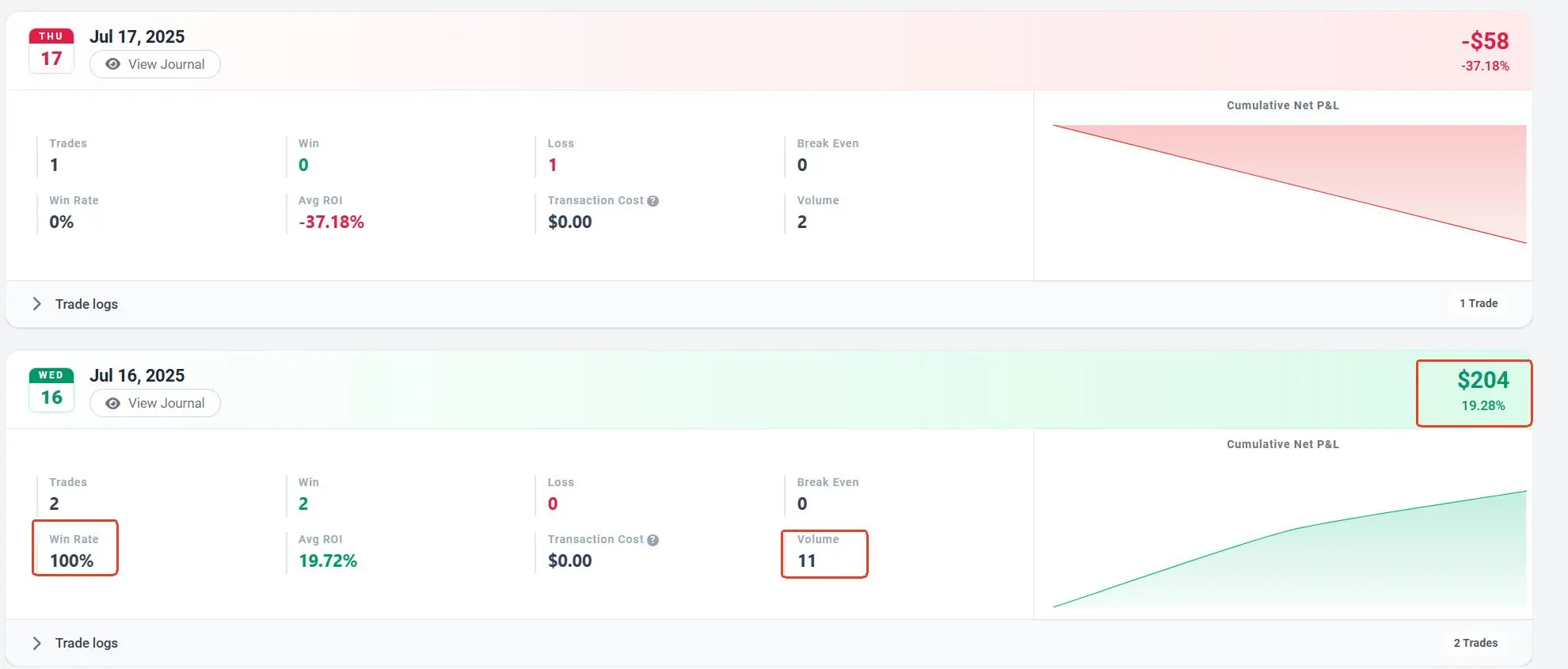
Stop using calculators to figure out how you did today. The moment your data syncs, TradeBB generates a Day Trading Journal entry for every active session.
Instant P&L Aggregation: Whether you took 50 scalps on NQ or 1 swing trade on SPY we consolidate them into a single Daily Net P&L. See at a glance if today was a "Green Day" or a "Red Day."
- Volume Monitoring: Monitor your Trades Per Day. A sudden spike in daily volume (e.g., 50 trades instead of your usual 5) often signals "Overtrading" or tilt before the P&L even reflects it.
- Drill Down: Need to see what you traded? Clicking on any date instantly expands to show the individual executions (linked from your Master Trade Log), so you can audit the specific moves that made (or broke) your day.
Track "No Position" Days (The Discipline Filter)
In professional trading, sitting on your hands is a valid position. Most journals treat non-trading days as "missing data." We treat them as discipline data.
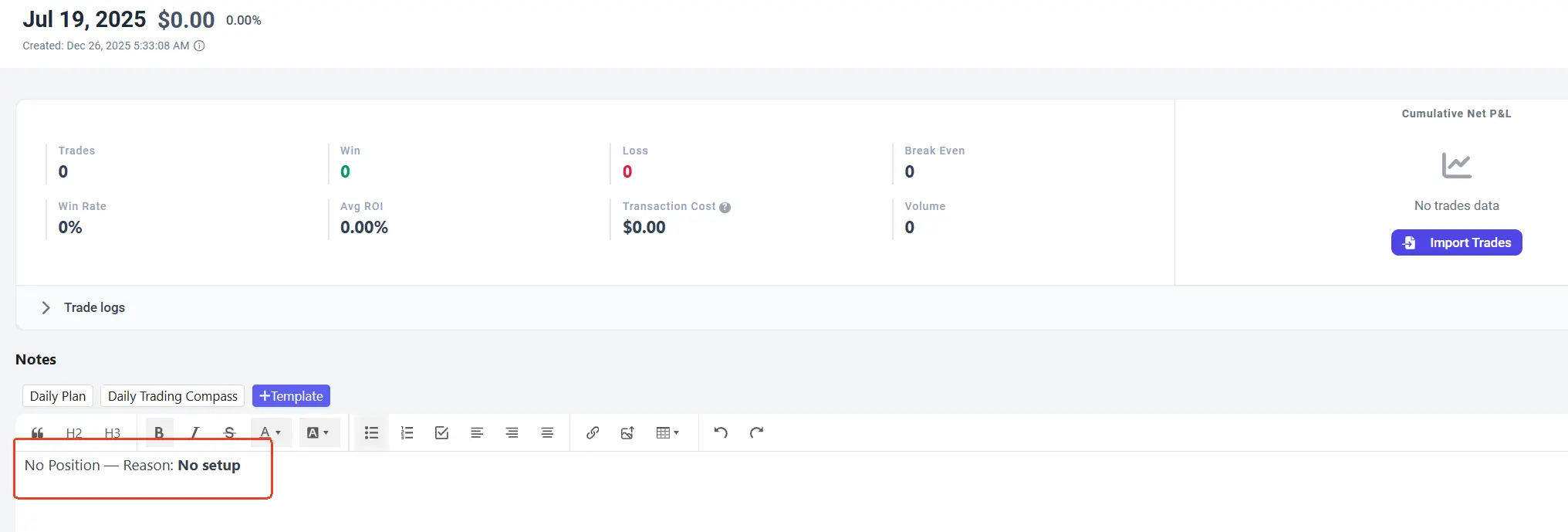
- Log Why You Didn't Trade: Was it a holiday? Was there "No Setup"? Or were you "Sick/Tired"?
- The Cost of Inaction vs. Discipline: By explicitly logging "No Setup," you build a habit of patience. Over time, you can prove to yourself that your best months often come from avoiding sub-par days, rather than forcing trades.
- Audit Your State: If you typically force trades when marked as "Tired," our analytics can later show you the negative expectancy of trading under poor physiological conditions.
Codify Your Narrative
The Daily Note is your space to record the context that raw data can't capture.
- Pre-Session vs. Post-Session: Use the markdown editor to write your "Morning Plan" before the bell and your "EOD Review" after the close.
- Market Context: Was the market choppy? Trending? Low volume? Tagging the Market Condition for the day helps you understand why your strategy performed (or failed) in that specific environment.
- Rich Media Support: Paste screenshots of the daily chart or specific setups directly into your daily note to create a visual archive of market structure.
FAQ
Do I have to manually create a journal entry every day?
No.. If you trade, the system automatically creates the entry for that date based on your import. You only need to open it if you want to add notes or tags. For "No Position" days, you create the entry manually to log your discipline.
Can I see which asset class drove my daily P&L?
Yes. The Daily Summary aggregates data from all sources. If you trade both Crypto and Futures, the summary shows your combined daily performance.
What is the best way to use the "No Position" feature?
Use it to track your adherence to your plan. If your rules say "Do not trade during FOMC," and you log "No Position: FOMC News," that is a successful trading day in terms of process, even if P&L is $0.
How does this differ from the Trade Log?
The Trade Log focuses on micro-execution (entry price, slippage, individual fills). The Daily Journal focuses on session performance (daily P&L, psychology, and market conditions). They work together to give you a complete picture.